Step 1: Measure Your Body
Seat width relative to hip width, backrest height relative to torso length, and total height relative to the headrest position.
These three measurements determine fit before you ever look at a brand.
Step 2: Decide What Lumbar You Need
Under 4 hours per day: pillow lumbar is fine.
Over 4 hours or with existing back pain: integrated adjustable lumbar is necessary.
Over 8 hours at a keyboard: consider an ergonomic office chair alongside the gaming chair options.
Step 3: Match Armrests to Your Workstation
4D for serious workstations.
The correct armrest height and position reduces shoulder and upper back stra in that often shows up as secondary pa in alongside lower back issues.
Step 4: Budget by Session Length
This is the most reliable rule in the category.
For the full product comparison by category, see best gaming chairs and best gaming chairs for back pain.
Our picks
Products we recommend
As an Amazon Associate I earn from qualifying purchases. Picks are based on manufacturer specs, independent reviews and owner reports.
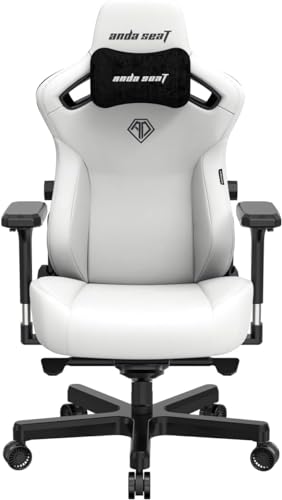
Best OverallAndaSeat
Integrated lumbar system adjusts both extension depth and height
- Integrated lumbar adjusts both height and extension depth
- Cold-cure foam seat and backrest
- 5D armrests (height, width, depth, pivot, front-back)
- Size-specific variants for different body types
- PVC leather or fabric upholstery
✓ Pros
- Integrated lumbar system adjusts both extension depth and height
- Cold-cure foam holds its density, no progressive softening that defeats the lumbar support
- 5D armrests correctly position the forearms, reducing the upper back compensation that causes secondary pain
✕ Cons
- Large size recommended for users up to 6'2, requires selecting the correct size
Best BudgetDXRacer
Foam compression and armrest limitations are the primary long-term concerns.
- High backrest
- Adjustable armrests (1D)
- 140-degree recline
- PU leather
- Lumbar and headrest cushion included
✓ Pros
- DXRacer's Formula series is the brand's most popular, widespread availability of replacement parts
✕ Cons
- Foam compresses significantly after 6-8 months of daily use, noticeably softer
- Lumbar support is a pillow insert, less effective than integrated lumbar systems
- 1D armrests (height only), limited adjustment for keyboard ergonomics
- PU leather peels at high-contact areas after 18 months in warm climates
Corsair
A roomy racing-style chair with lumbar and neck pillows at a mid-range price.
✓ Pros
- Wide, relaxed seat
- Lumbar and neck pillows included
- Recline and height adjustment
- Leatherette or fabric options
✕ Cons
- Pillows are not built-in lumbar
- Basic armrests
- 120 kg weight limit
FAQ
Common questions
Should I buy a gaming chair or a computer chair?
Gaming chair and computer chair describe the same category of seating; the terms are interchangeable in retail. The underlying question is whether to buy a gaming-aesthetic chair (high backrest, bucket seat, headrest, recline) or an ergonomic office chair (adjustable seat depth, synchronized recline, forward tilt mechanism). Gaming chairs suit users who want to recline during gaming sessions. Ergonomic office chairs suit users who lean forward during keyboard-intensive work. For users who do both: a premium gaming chair like the Secretlab TITAN Evo covers both adequately, but is not as good as a dedicated ergonomic chair for extended forward-leaning work.
What size gaming chair do I need?
Most gaming chairs come in Small, Regular, and XL variants. Small is for users under 5'7 and under 175 lbs. Regular is for 5'7 to 6'2 and up to 250 lbs. XL is for 6'2 to 6'6 and up to 400 lbs. Buying the wrong size is a common mistake: too small and the backrest ends below your shoulder blades; too large and the lumbar lands in the wrong position on your spine. When in doubt, check the specific measurement chart for the chair rather than relying on height alone, because torso-to-leg proportions vary significantly.
Is leather or fabric better for a gaming chair?
Fabric or mesh breathes better and does not peel, making it more durable and more comfortable in warm climates. PU leather looks more like the gaming chair aesthetic most marketing images show, and is easier to wipe clean. Real leather (used in some Noblechairs models) ages better than PU leather but costs significantly more. If you run warm or live in a hot climate, fabric is the practical choice. If you prefer easy cleaning, PU leather or real leather. If you game in air conditioning and prioritize longevity, real leather.
Can I return a gaming chair if it does not fit?
Amazon return policies for gaming chairs vary: most sellers offer 30-day returns, but gaming chairs are bulky and expensive to ship back. If you buy from a local retailer and can test in person, do so. When buying online, check the return policy before purchasing. Secretlab has a brand-specific return window; DXRacer and Noblechairs vary by retailer. Large brands typically have better return processes than no-name budget chairs sold through third-party sellers.
Keep researching
Related guides & comparisons